Question
I created a spreadsheet in calc where I have several columns of numbers that need to be totaled at the bottom. I figured out how to make them total, but as I add new numbers to the column, the totals don't change accordingly.
Answer
Below I’ve tried to explain both what’s happening, and how to avoid it from happening. See the text just below each picture.
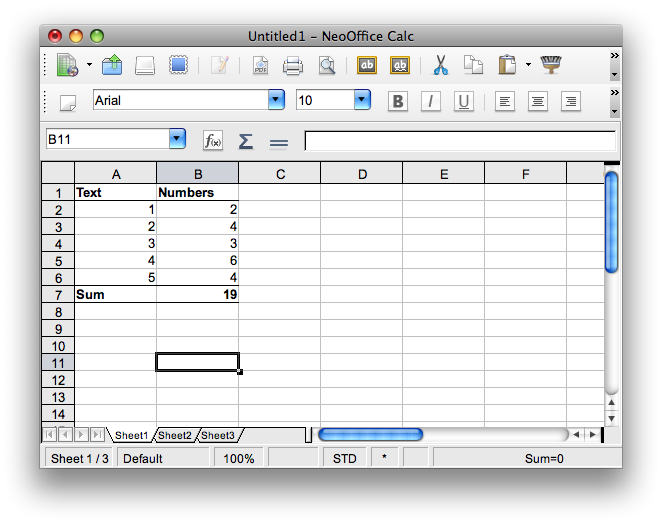
Here we have a table, where the numbers in column B are summed with the formula =SUM(b2:b6).
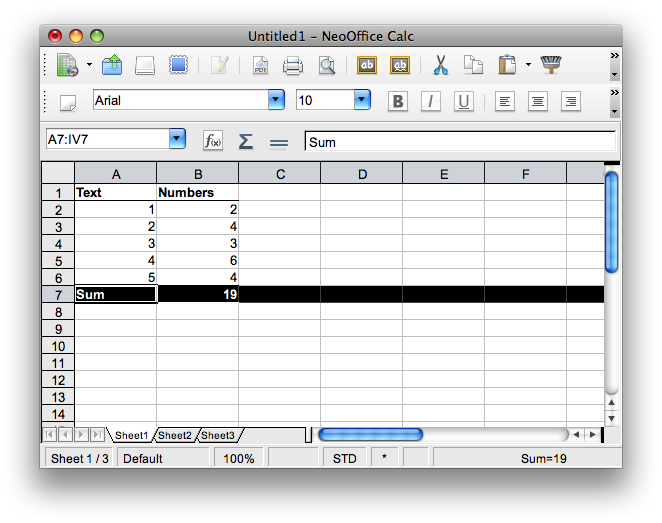
Line 7 is marked...
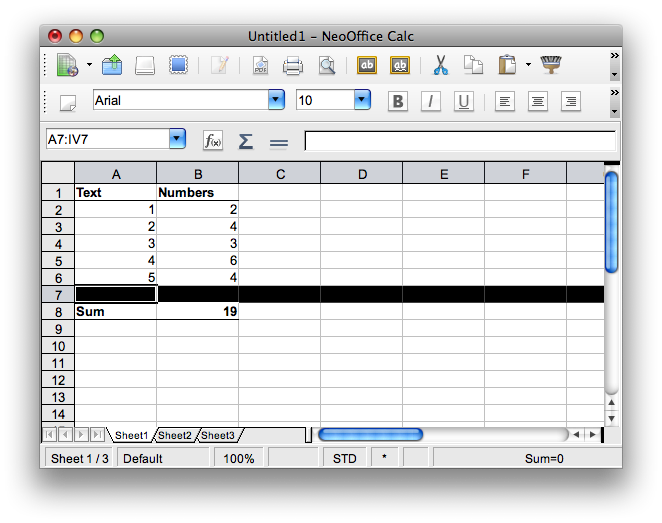
...and a line is inserted by right-clicking line 7 and choose Insert line.

If you now double click cell B8, you get to see what is summed. Apparently line 7 is left out.
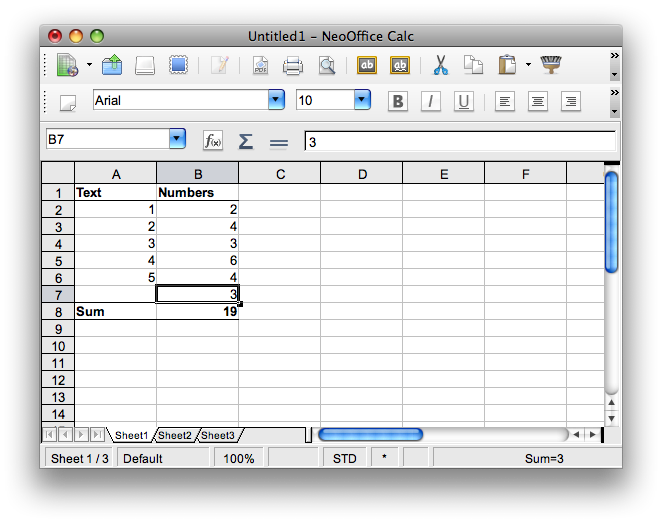
So, if we now add a number in B7, it will not be included in the sum...
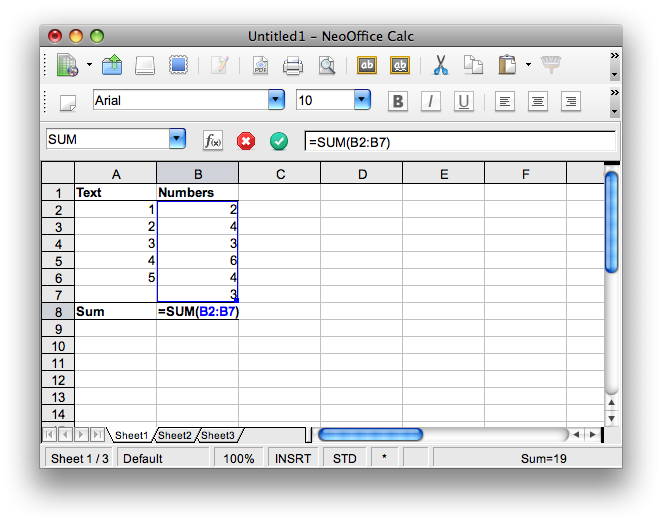
To make that happen, you can click the little, blue box in the lower right blue area.
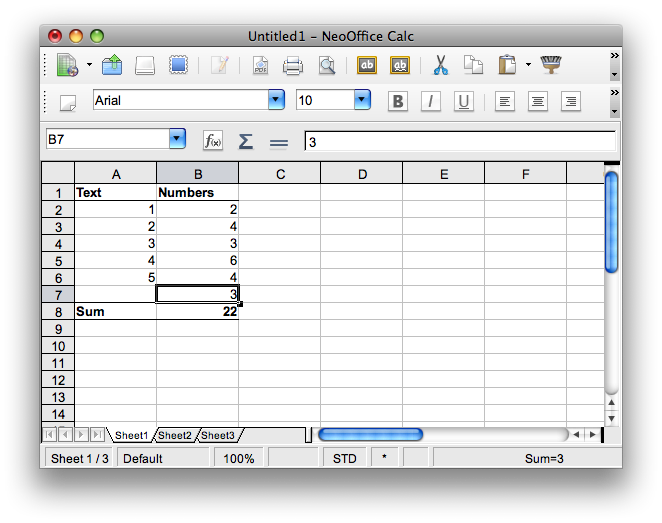
And now it’s included in the sum.
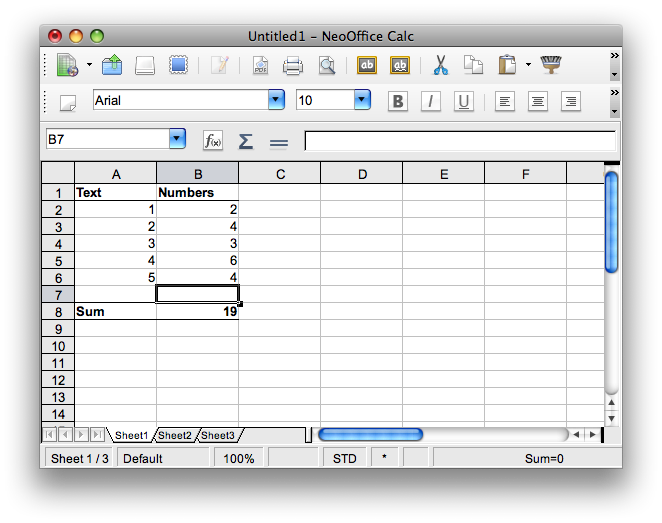
Isn’t there a way to not having to do all this each time one adds a number to the column? Yes there is... Before you add the first number at all, insert a line between the sum and the last line, like shown above.
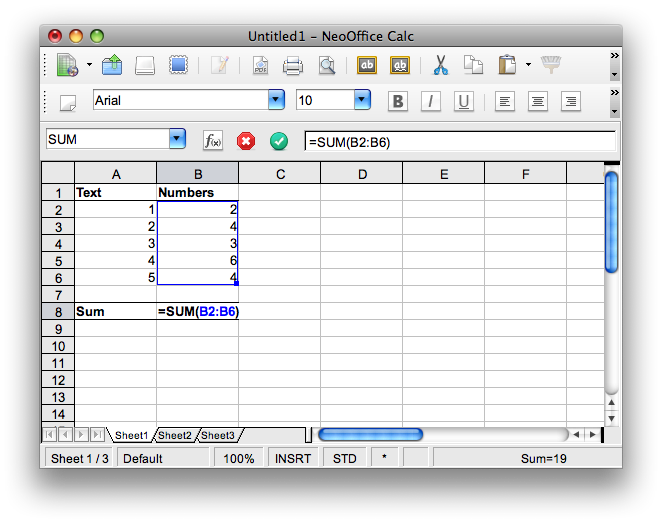
Double click B8 so that you get to see the sum area, marked in blue, and increase it to include the next line as well.
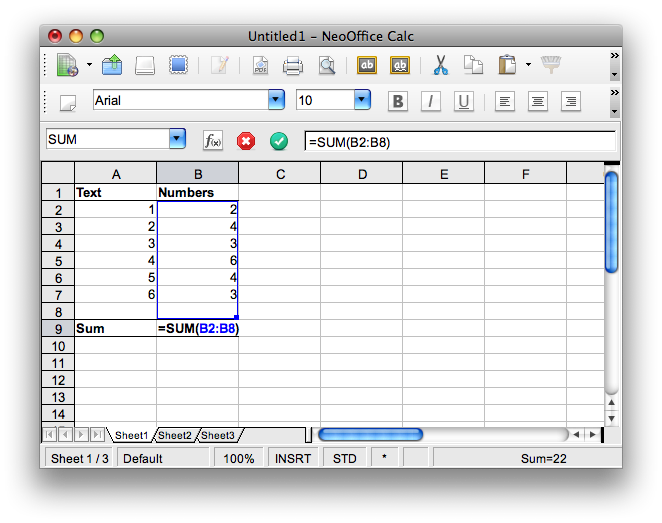
Now you can add a new line, and enter a number there. Just make sure you’re inserting it while highlighting line 8. This way the new line will automatically be included in the formula, as the formula will change each time you insert a line.
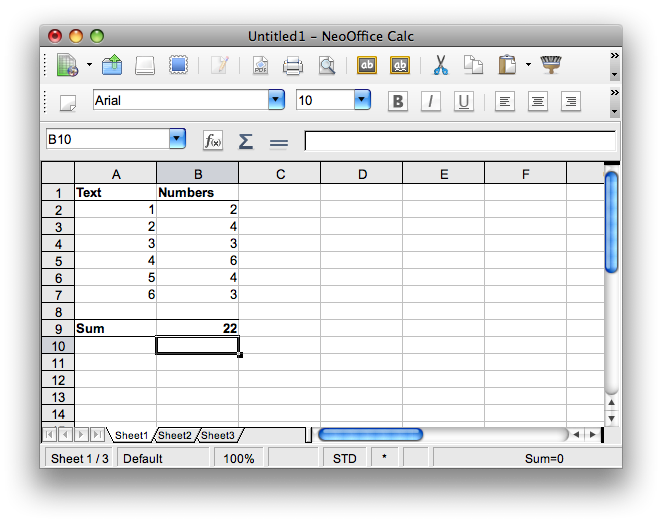
As you can see, it’s included.